Saunders Comp Review NCLEX PN
- 4.6
- Rating
- 50.00K
- Installs
- Free
- Price
 Analysis by App-foxy
Preparing for the NCLEX PN is demanding enough without fighting an awkward study tool at the same time. I spent time with Saunders Comp Review NCLEX PN as a medical study app, paying particular attention to how comfortably it supports different reading habits, physical abilities, and study situations. It is developed by Skyscape Medpresso Inc and focuses on practice questions, explanations, and study material rather than trying to replace a complete nursing course.
My overall impression is that it works best as a structured question bank for practical nursing students who want to test themselves repeatedly. The app is free to install, carries an Everyone age rating, and has reached over 50K installs. Its average rating is 4.6 from more than 800 ratings, which fits my experience: the core study content is useful, but the way you interact with it may matter just as much as the quality of the questions.
How clearly the app presents questions and explanations
The central workflow is straightforward. You open a question, choose an answer, and then review the rationale. That simple sequence is important for accessibility because it reduces the number of decisions required before studying begins. I did not need to build a complicated plan just to start a short session, and the question-and-rationale format makes it easy to understand what the app expects from me.
You May Also Like

 Blood Strike: 2.5 Anniversary
Blood Strike’s Loadouts Turn Every Drop Into a Tactical Gamble
A close look at Blood Strike’s custom loadouts: how fast access to signature weapons reshapes its battle royale rhythm, rewards preparation, and narrows the gap between fights.

 Pandora - Music & Podcasts
Pandora’s Music Is Easy to Start, but Harder to Recover
Pandora’s strength is its low-effort path from a seed to a station. Its weak spot is how much confidence it asks you to place in connection, setup, and quiet recovery.

 8 Ball Pool
 Is Built on Rivalries, Rematches, and Routine
A close look at the rivalries, rematches, shared routines, and unanswered safety questions that turn a quick pool match into a persistent mobile community.

 Samsung Music
’s Quiet Strength Is Playing What You Already Own
Its reach comes less from spectacle than from dependable access to a personal library. That simplicity is both the app’s strongest retention engine and its ceiling.

 AccuWeather: Weather Radar
AccuWeather Review: A Quick, Clear Forecast for Everyday Decisions
For everyday plans, the best forecast is the one you can understand quickly. AccuWeather makes rain timing, radar, and local conditions easy to act on, with a few trade-offs.

 Hill Climb Racing
Why Hill Climb Racing Still Turns Crashes Into One More Run
A tiny car, a bumpy hill and one more upgrade: Hill Climb Racing keeps resurfacing because its simple chaos makes every near-miss feel personal.
More From Our News Desk
View All News


The strongest part of the experience is the explanation after each question. A correct answer is more useful when I understand why it is correct, and an incorrect answer becomes a learning opportunity instead of merely a missed point. I found it more productive to pause after every response and explain the reasoning to myself before moving on. That approach also helps reveal whether I actually understand prioritization, safety, and clinical judgment or whether I am relying on recognition.
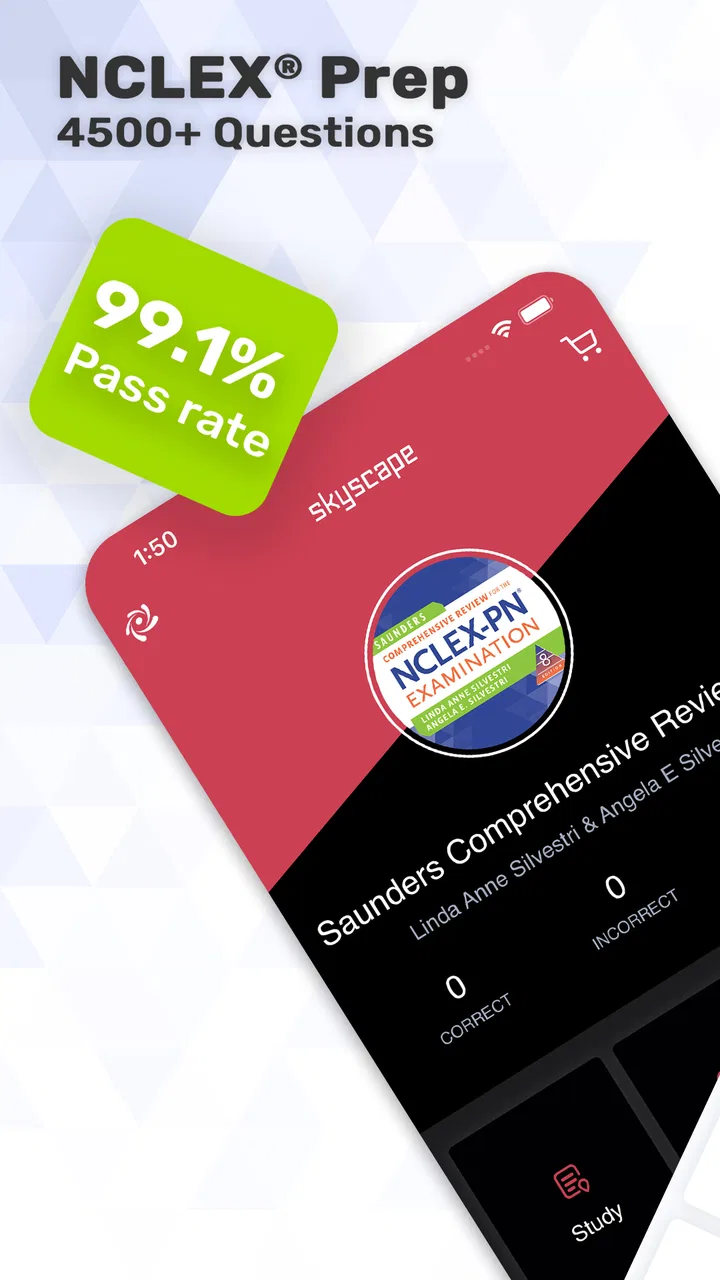
The app contains around 4,500 questions with rationale and study material. That is enough content to support repeated practice, but the number can also feel intimidating. I recommend dividing the material into small targets rather than treating the question bank as one enormous task. A short session focused on one topic is easier to read, easier to resume, and less tiring than trying to work through a long, unfocused run.
For readers who need larger text, stronger contrast, or magnification, the practical experience will depend partly on the phone or tablet and its operating-system settings. I would test the app with your preferred display adjustments before committing to long sessions. Enlarging text can make reading more comfortable, but it may also require more scrolling or reduce how much of a question is visible at once. That trade-off is especially noticeable with long clinical scenarios and answer choices.
I also recommend rotating the device only if that genuinely helps your reading. A wider layout may make a long question easier to scan, while a smaller phone held vertically can be more manageable for one-handed use. The best arrangement will vary by screen size, vision needs, and whether you are studying at a desk or in a waiting room.
Reading strategies that make the rationales more useful
I found it helpful to read the question once for the clinical situation and a second time for the exact task. Words that ask for the first action, the priority response, or the best teaching point can change the entire answer. This is not just an exam trick; it reduces the chance that a reader with fatigue, attention difficulties, or visual overload will rush through a dense prompt.
After answering, I would read the rationale even when I was correct. Then I would identify one practical rule in my own words. For example, instead of memorizing a full paragraph, I might write down what assessment should come first or which patient needs immediate attention. This creates a smaller, more readable review set for later and prevents the explanations from blending together.
A useful accessibility-minded routine is to separate answering from reviewing. First, I choose an answer without looking for clues in the explanation. Then I take a short pause before reading the rationale. That pause makes the exercise less visually and mentally crowded, and it gives me a clearer record of what I knew independently.
Using it with different physical and sensory needs
Because this is a touch-based mobile app, people with limited finger movement or difficulty maintaining precise taps should consider how comfortable repeated answer selection feels on their device. A larger screen may provide more room for selecting an option, while a smaller phone is easier to hold for short periods. A stand, stylus, or external accessibility control may help some users, but the suitability of those tools depends on the device and the individual setup.
One-handed studying is possible in everyday situations, but I would not make it the default for serious review. Clinical questions can be text-heavy, and holding a phone while scrolling and selecting answers may increase hand fatigue. At a desk, I prefer placing the device at a stable angle and keeping a notebook nearby. That arrangement supports longer sessions and makes it easier to record recurring mistakes without constantly switching between screens.
For users who are sensitive to visual fatigue, shorter sessions are a better solution than simply forcing through a large batch. I would use the app in a well-lit room, enlarge the display only as much as needed, and take deliberate breaks between question groups. The app is valuable because it can fit into small periods, not because every study session needs to be long.
Readers who rely on screen readers or other assistive technologies should check how the app behaves with their specific device before depending on it as their primary study method. I would pay attention to whether question text, answer controls, and rationale content are announced in a logical order. If navigation becomes confusing, the app may still work as a supplementary resource, but it would be frustrating as the only tool for exam preparation.
Audio-based study is another important consideration. This app is built around reading questions and rationales, so it is not the natural choice for someone who needs a fully hands-free or listening-first workflow. A learner who studies effectively while walking, commuting, or managing a visual limitation may prefer a resource designed around spoken lessons or audio review, using this app only when a screen is available.
A realistic study session away from home
Imagine having twenty minutes between clinical responsibilities. I would open the app, complete a small set of questions, and mark the concepts that caused hesitation in a separate note. I would avoid trying to study in a noisy hallway if reading dense text is difficult for me; instead, I would use the short break to review one previously misunderstood rationale. That makes the session less dependent on perfect concentration.
On a bus or in a crowded waiting area, movement and glare can make small text harder to follow. In that situation, I would choose fewer questions, hold the device steady, and avoid judging performance too harshly. A wrong answer caused by distraction is not the same as a knowledge gap. Later, in a quiet setting, I would repeat the item and see whether the reasoning still breaks down.
The app can also suit a student who shares a home with others and studies in unpredictable bursts. A question bank is easier to pause than a live class, and the rationale gives each item a self-contained lesson. Still, interruptions can make it easy to forget why an answer was selected. I recommend writing a brief note before leaving a session, such as “review infection-control priority,” so the next return has a clear starting point.
Where the experience becomes less inclusive
The main barrier is cognitive density. NCLEX-style questions are not casual reading, and a rationale may introduce several ideas at once. Someone with dyslexia, attention difficulties, language-processing challenges, or significant fatigue may need more time than the app’s quick-question format seems to encourage. I would treat speed as optional. Accuracy of reasoning matters more than completing a large number of items.
Another limitation is the risk of confusing familiarity with mastery. Repeatedly seeing similar questions can make the correct answer feel obvious, even when the underlying concept is still weak. To counter that, I would occasionally cover the answer choices, explain the priority in my own words, and then compare my reasoning with the rationale. This is slower, but it tests understanding more honestly.
The free entry point is helpful, especially for students deciding whether the format suits them. However, in-app purchases range from $24.99 to $49.99 per item, so anyone planning a full preparation strategy should examine the available content and cost before assuming every study resource is included. I would begin with the accessible material, assess whether the explanations match my learning needs, and only then consider spending more.
The app requires Android 5.0 or later and is currently at version 4.16.0. For many users that is not a practical obstacle, but students using an older device should check compatibility before organizing their revision around it. Device age can also affect responsiveness, battery life, and the comfort of reading for extended periods, even when the operating system technically meets the requirement.
It is also not the right choice for every learning style. If you need a guided course that teaches each subject from the beginning, a question bank may feel too demanding. If you want live instruction, adaptive coaching, or a highly visual learning path, another nursing resource may serve you better. I see this app as a practice and reinforcement tool, not as a complete substitute for classroom teaching, clinical experience, or a personal study plan.
How it compares with familiar alternatives
Compared with paper practice books, the app is easier to carry and makes short, interrupted study sessions more practical. Paper can be more comfortable for readers who dislike screens, prefer handwritten annotations, or need a large page layout. The app wins when I want to answer a few questions without carrying a heavy book, but paper may remain better for building a visible wall of notes or reviewing without screen fatigue.
Compared with general nursing websites, this app feels more focused on a dedicated question-and-rationale routine. A website may offer broader articles, videos, or community discussion, while this tool keeps attention on answering and reviewing. That focus is useful when I already know what I need to practice, but less helpful when I encounter a topic I do not understand and need a long, carefully paced lesson.
Compared with audio courses, it demands more visual attention but can show the exact wording of a question and its answer choices. That precision matters for exam practice. Audio is more convenient during chores or travel, yet it is harder to reproduce the visual decision-making of a written question. I would combine the two only if the extra cost and switching between resources fit my budget and routine.
One of my favorite ways to use it is as a diagnostic tool. Instead of beginning with a full review of every nursing subject, I answer a modest selection, group my mistakes by concept, and then study those weak areas elsewhere. This prevents the common problem of spending equal time on topics I already know and topics that genuinely need attention.
Who will benefit most from this app
I would recommend it to practical nursing students who want frequent question practice, appreciate rationales, and can comfortably read clinical material on a mobile screen. It is particularly useful for someone who has limited study time and needs a resource that can be opened for a brief session without setting up a full lesson.
It may also help a student returning to nursing education after a break. The questions expose gaps quickly, while the explanations provide a starting point for rebuilding confidence. I would not use the rating alone as proof that it will fit every learner, but the strong user response and the substantial question collection make it worth trying before choosing a more expensive preparation system.
I would be cautious if you need guaranteed compatibility with a particular assistive technology, rely mainly on audio, or find long blocks of medical text overwhelming. In those cases, test a short session under your normal conditions: with your screen settings, preferred input method, and usual study environment. A tool can be academically strong and still be a poor personal fit.
For me, the fairest way to judge it is not by how many questions I can finish, but by whether the rationale changes what I do on the next similar question. If it does, the app is earning its place. If I am only tapping answers quickly and recognizing repeated patterns, I need to change my workflow or choose a more guided resource.
My inclusive verdict
Saunders Comp Review NCLEX PN is a focused medical study app with a clear purpose: give practical nursing students a large set of questions and enough explanation to learn from the results. I like its portability, its self-paced structure, and the way a short session can still produce a useful lesson. The free starting point makes it easier to evaluate, while the paid items mean I would plan purchases carefully rather than assume the entire preparation path is cost-free.
Its accessibility is strongest when you can read comfortably, tap answer choices reliably, and study in short independent blocks. Its weaker points appear when you need hands-free learning, highly guided instruction, extensive visual customization, or a workflow built around assistive technology. Those are not small details; they determine whether the app feels supportive or exhausting.
My advice is to use it deliberately: adjust the device for comfortable reading, work in small groups, read every rationale, and keep a separate record of concepts that repeatedly cause trouble. Use another resource when you need deeper teaching, audio-first review, or more personalized support. For the right learner, this is a practical companion for NCLEX PN preparation; for everyone else, it is best treated as one part of a broader and more inclusive study routine.
FAQs for Saunders Comp Review NCLEX PN
01What is Saunders Comp Review NCLEX PN, and who is it designed for?
Saunders Comprehensive Review for the NCLEX-PN is a study app designed for practical and vocational nursing students preparing for the NCLEX-PN licensing examination. It combines review content with practice questions, explanations, and exam-focused guidance. The app is most useful for learners who want to study independently, review difficult nursing topics, and become familiar with the style and reasoning expected on the actual test.
02What study materials and practice features does the app include?
The app generally focuses on core NCLEX-PN subjects such as fundamentals, pharmacology, medical-surgical nursing, maternal and newborn care, pediatrics, mental health, and community nursing. Its main strength is the question bank, where answers are supported by rationales that explain why an option is correct or incorrect. Depending on the version, users may also find quizzes, progress tracking, customizable practice sessions, and review tools.
03Can Saunders Comp Review NCLEX PN be used without an internet connection?
Offline access depends on the edition, platform, and how the content is delivered after installation. Some study materials may be available locally, while account verification, updates, synchronization, or certain online functions may require an internet connection. Before downloading, it is worth checking the store listing and the app’s permissions. Students who plan to study while traveling should confirm offline availability rather than assume every feature works without data.
04Is the app enough to pass the NCLEX-PN by itself?
Saunders Comp Review NCLEX PN can be a valuable preparation resource, but it should not be treated as a guaranteed or complete substitute for a structured study plan. Passing the NCLEX-PN also requires understanding nursing concepts, practicing clinical judgment, reviewing weak areas, and becoming comfortable with current exam expectations. Use the app alongside class notes, official examination information, and other reliable resources when necessary.
05Does the app require payment or an account, and are there any limitations?
The cost and access model can vary by platform, publisher edition, region, and promotional offer. Some versions may require a purchase, subscription, activation code, or account before all content becomes available. Users should review the current Google Play or App Store description for pricing, in-app purchases, supported devices, and update information. Also check whether progress is synchronized across devices and whether access expires after a set period.
Pros
- Focused practice for the NCLEX-PN exam
- Includes questions that reinforce practical nursing knowledge
- Useful for reviewing topics in short study sessions
- Helps identify weaker subject areas through repeated practice
- Works well as a supplementary study tool on mobile devices
Cons
- May not replace a complete NCLEX-PN preparation course
- Question explanations may feel brief for difficult concepts
- Content can become repetitive after extended use
- Requires consistent self-study and does not provide live instruction
- Some features or content may require an in-app purchase

Saunders Comp Review NCLEX PN
Gallery